Check Hub Version
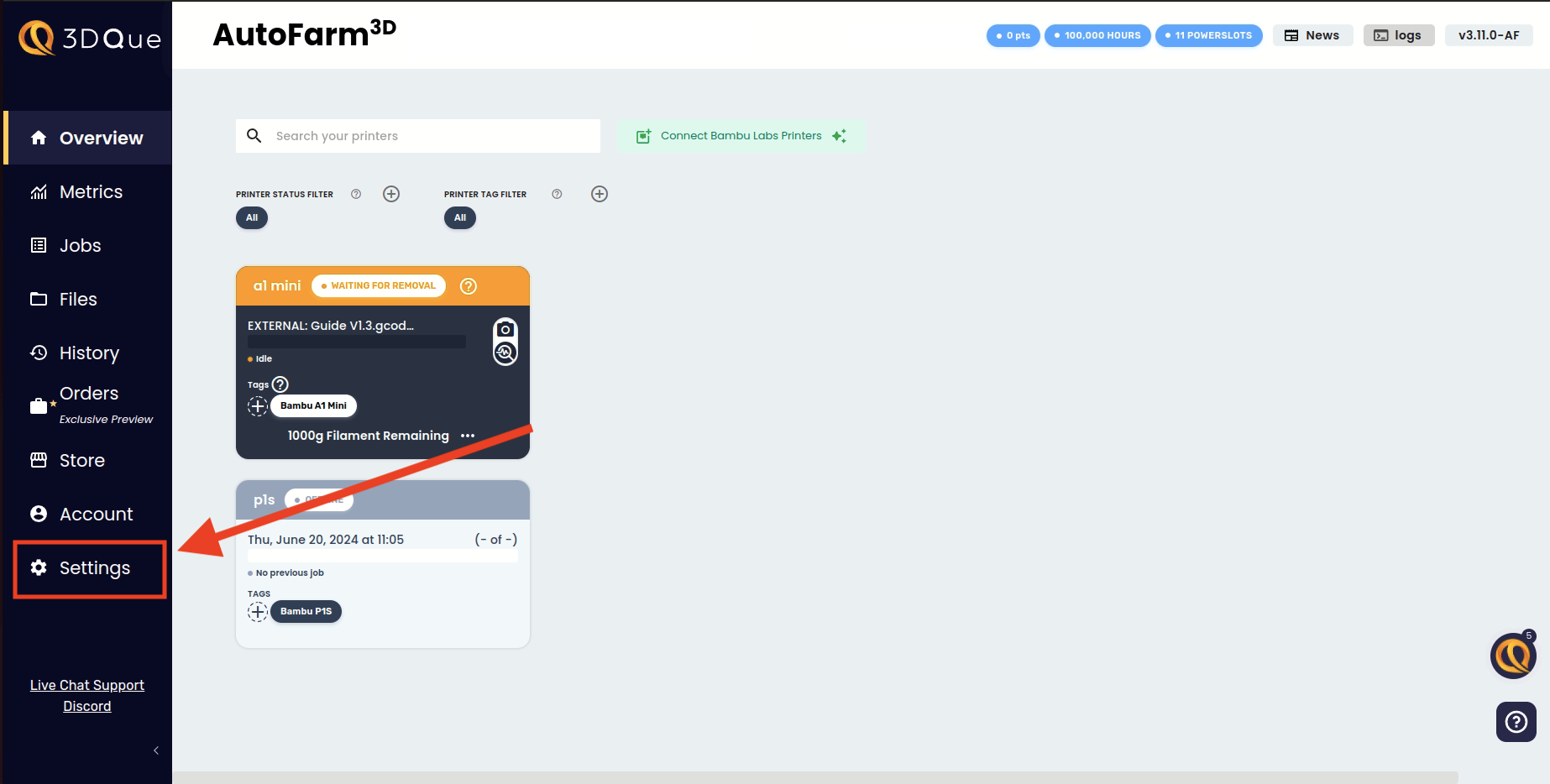
1. Open Settings
Navigate to your settings page.
2. Scroll Down
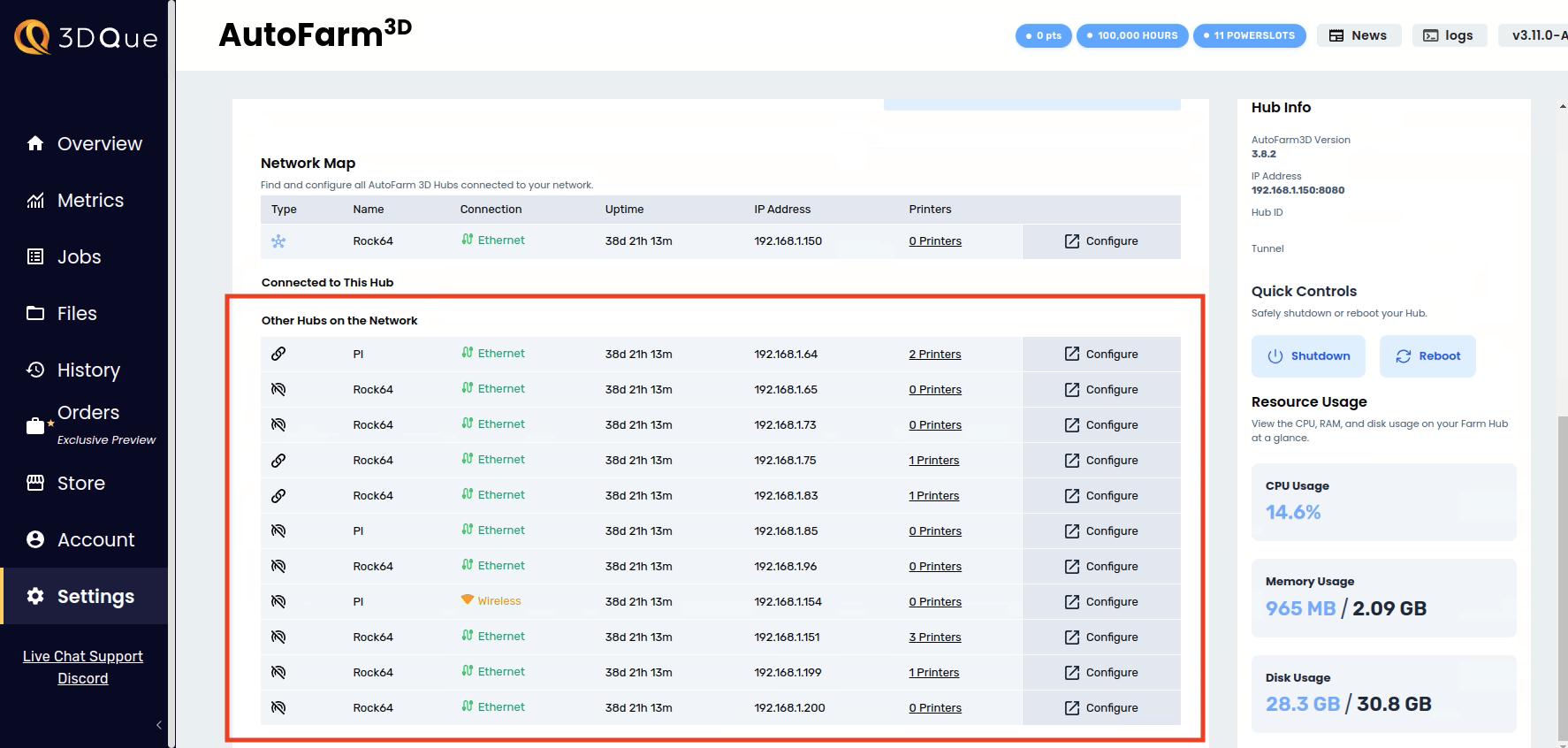
Scroll down in the Network Settings page, where you will find a list of all Hubs on your network.
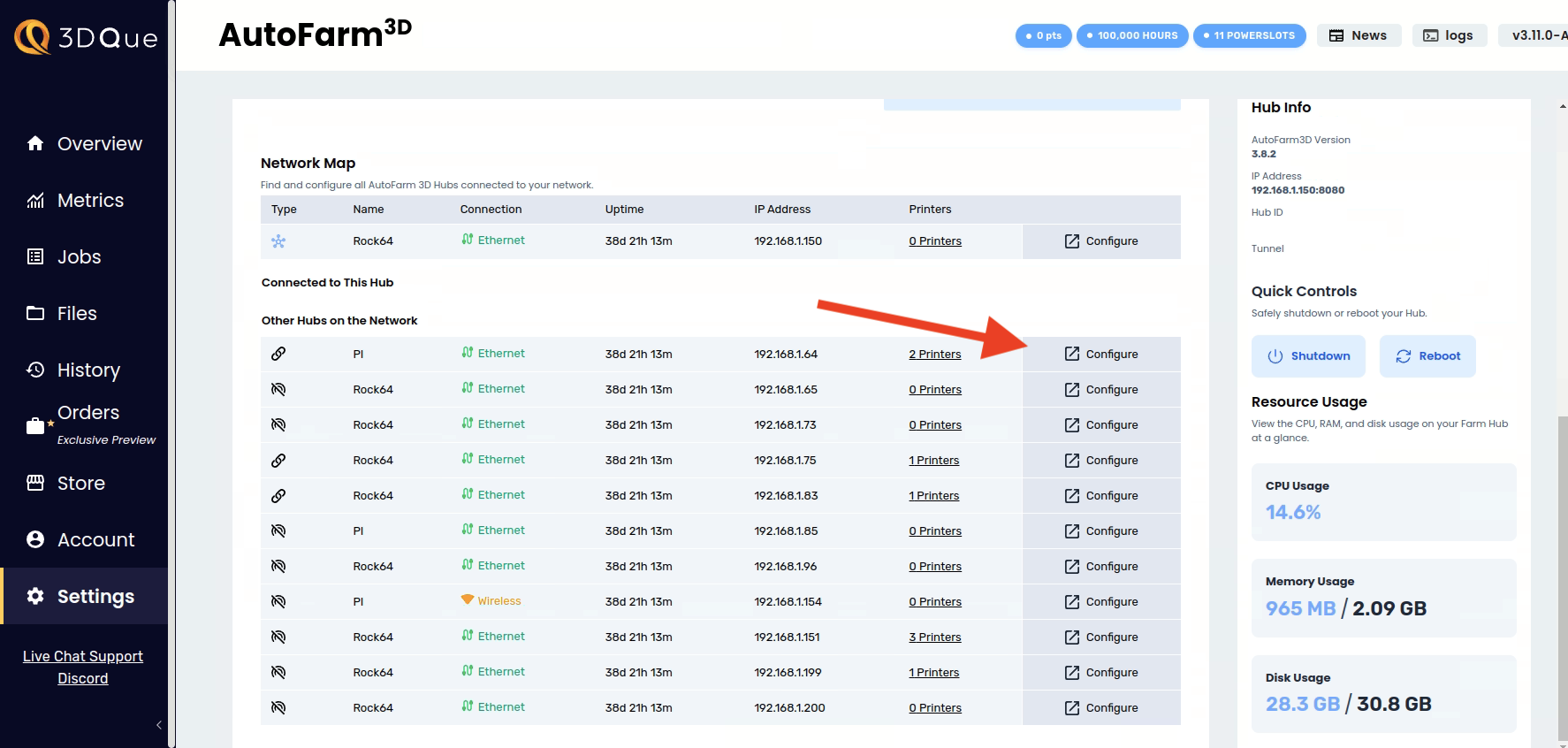
3. Click Configure
Click "Configure" for the Hub you want to check. A new tab will open with that Hub's settings.
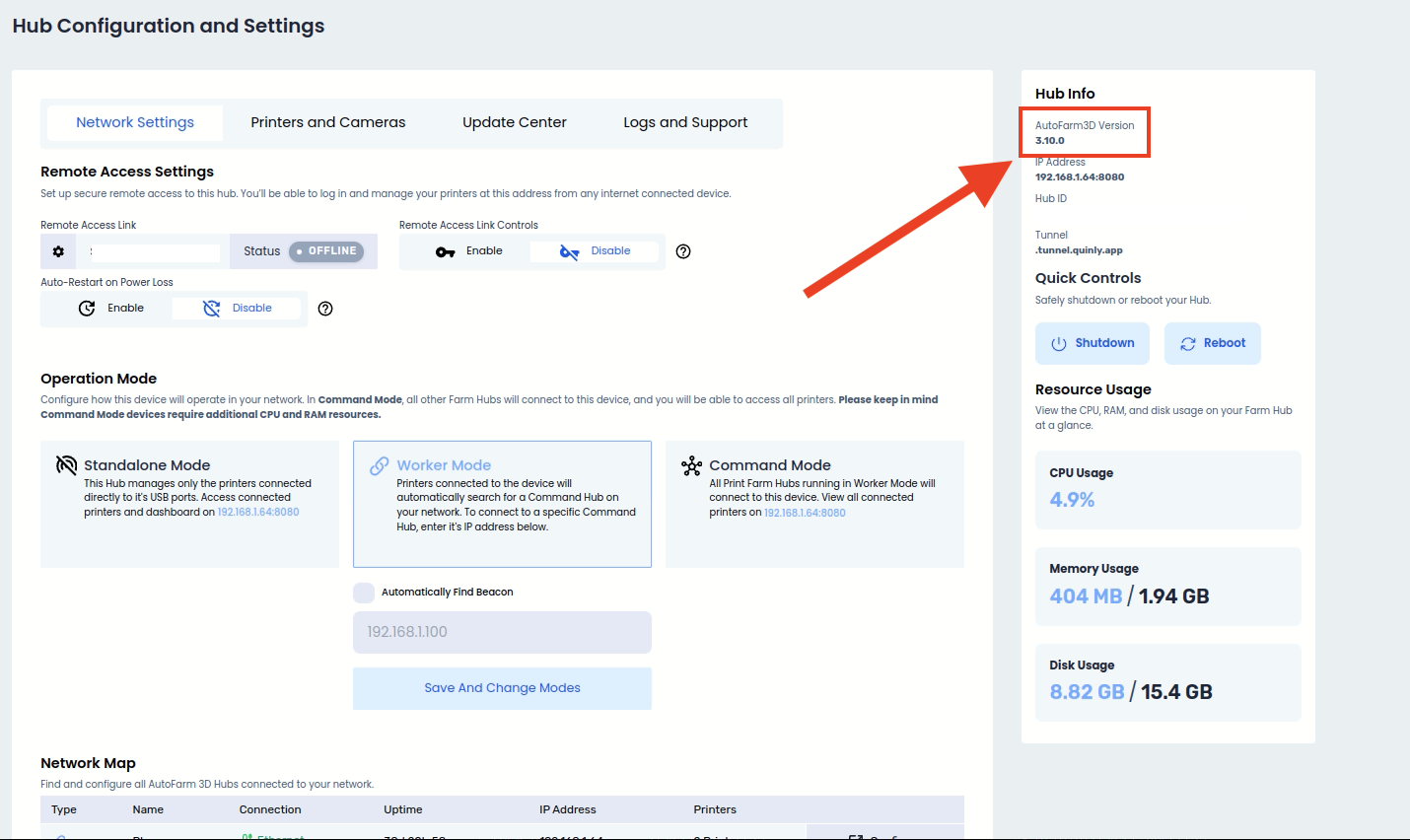
4. Check Version Number
The Hub's version number can be found in the top right of the page as indicated in the screenshot below.